The quickest way to check Arafta is to start with official sources: YouTube first for free access, Prime Video if it appears in your local catalog, and Amazon MX Player if you are watching from India. Do not rely on random uploads until you have checked the official channel or app listing, because Turkish drama episodes are often reposted out of order or with missing parts.
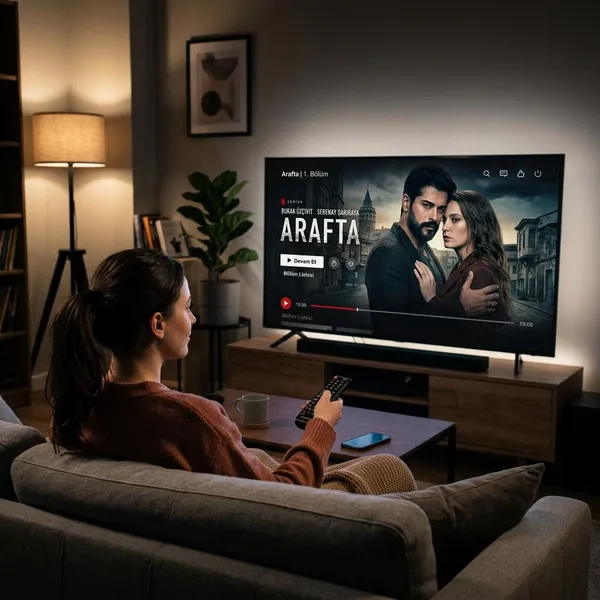
Where Can You Watch Arafta Online?
Arafta is mainly worth checking on three official routes: the official YouTube channel, Prime Video in supported regions, and Amazon MX Player in India. The best option depends less on the title itself and more on your country, language needs, and whether you want free viewing or a more app-based streaming experience.
Official YouTube channel
The official YouTube channel is usually the simplest place to begin, especially if you only want to test the show before committing to a subscription. Look for uploads from the recognized publisher, production company, or official drama network rather than clips posted by fan channels.
For casual viewing, YouTube is often enough: it works on phones, laptops, and smart TVs, and you can quickly see whether the episodes are complete. The trade-off is that subtitles, country access, and episode order can still vary, so check the playlist before starting a long watch.
Prime Video in select regions
Prime Video is worth checking if Arafta appears in your country's catalog. It is usually a better fit for viewers who plan to watch several episodes over a few days because the app keeps progress, organizes episodes neatly, and is easier to resume on a TV.
Do not subscribe just for this title until you have confirmed local availability. Open the listing, check whether playback works, and review the subtitle and audio options shown for your region.
Amazon MX Player in India
Amazon MX Player is most relevant for viewers in India, particularly when Hindi audio or a familiar local streaming app matters. This can be the easier choice for a shared household where some people do not want to read subtitles during long drama episodes.
Before starting, check the listing carefully: season labels, audio language, subtitle options, and whether all available episodes are grouped clearly. If Hindi viewing is your priority, this should be one of the first official platforms you verify.
Which Arafta Streaming Platform Should You Choose?
Choose based on how you actually watch, not just where the title appears. Someone sampling one episode on a phone has different needs from someone watching every night on a smart TV with family.
| Viewer situation | Best first choice | What to check before watching |
|---|---|---|
| You want free access | Official YouTube | Playlist order, full episodes, subtitles |
| You already use Prime Video | Prime Video | Regional playback, audio, subtitle menu |
| You are in India and prefer Hindi | Amazon MX Player | Hindi audio, season availability, current listing |

How to Find Official Arafta Episodes
The safest order is simple: search official YouTube first, then your local Prime Video catalog, then Amazon MX Player if you are in India. After that, confirm three things before you watch seriously: the source, the episode order, and whether playback works in your region.
Use the official channel
Start by checking the channel name, branding, thumbnails, and upload pattern. Official sources usually have consistent titles and full-episode formatting, while unofficial uploads often mix scenes, edits, and partial episodes.
Check official playlists
Playlists are the easiest way to avoid watching Arafta in the wrong order. They are also useful on smart TVs, where searching episode by episode with a remote quickly becomes frustrating.
If you are checking for more than one season, scan the playlist or season grouping before opening individual videos. Clear numbering and complete episode labels are better signs than a random set of search results.
Confirm regional access
Regional access is the final check, and it should happen before you invest time in a platform. Press play on the actual episode, not just the trailer or title page, then check whether subtitles or dubbing are available in the same player.
If playback is blocked, switch to another official option instead of chasing reuploads. This is usually faster and safer than trying to piece together episodes from unofficial channels.

Conclusion
For most viewers, the best move is to check the official YouTube channel first, then move to Prime Video or Amazon MX Player only if they fit your region and language needs better. Free access is convenient, but a proper season page, working playback, and the right subtitles or dubbing matter more if you plan to watch the whole series without interruptions.